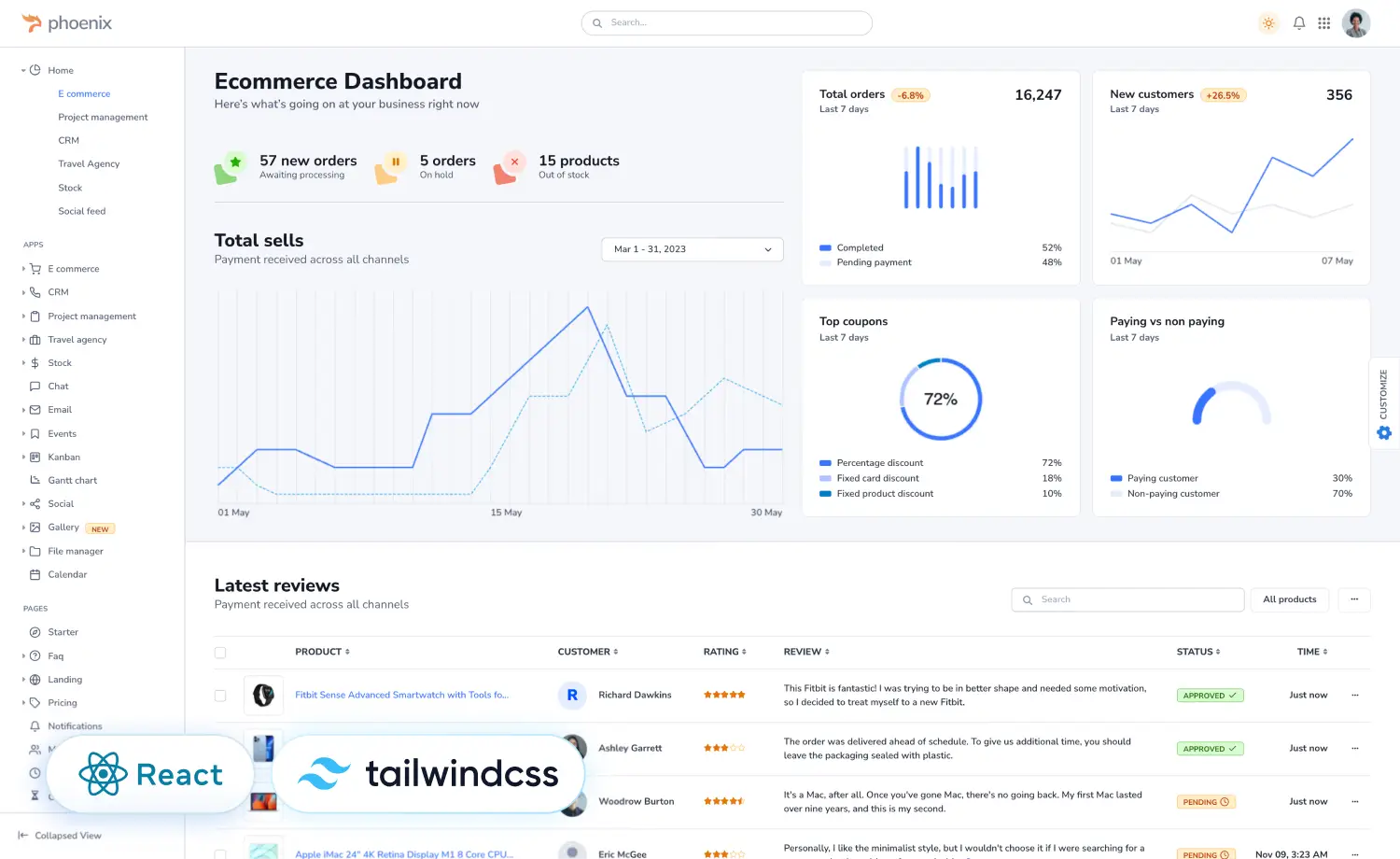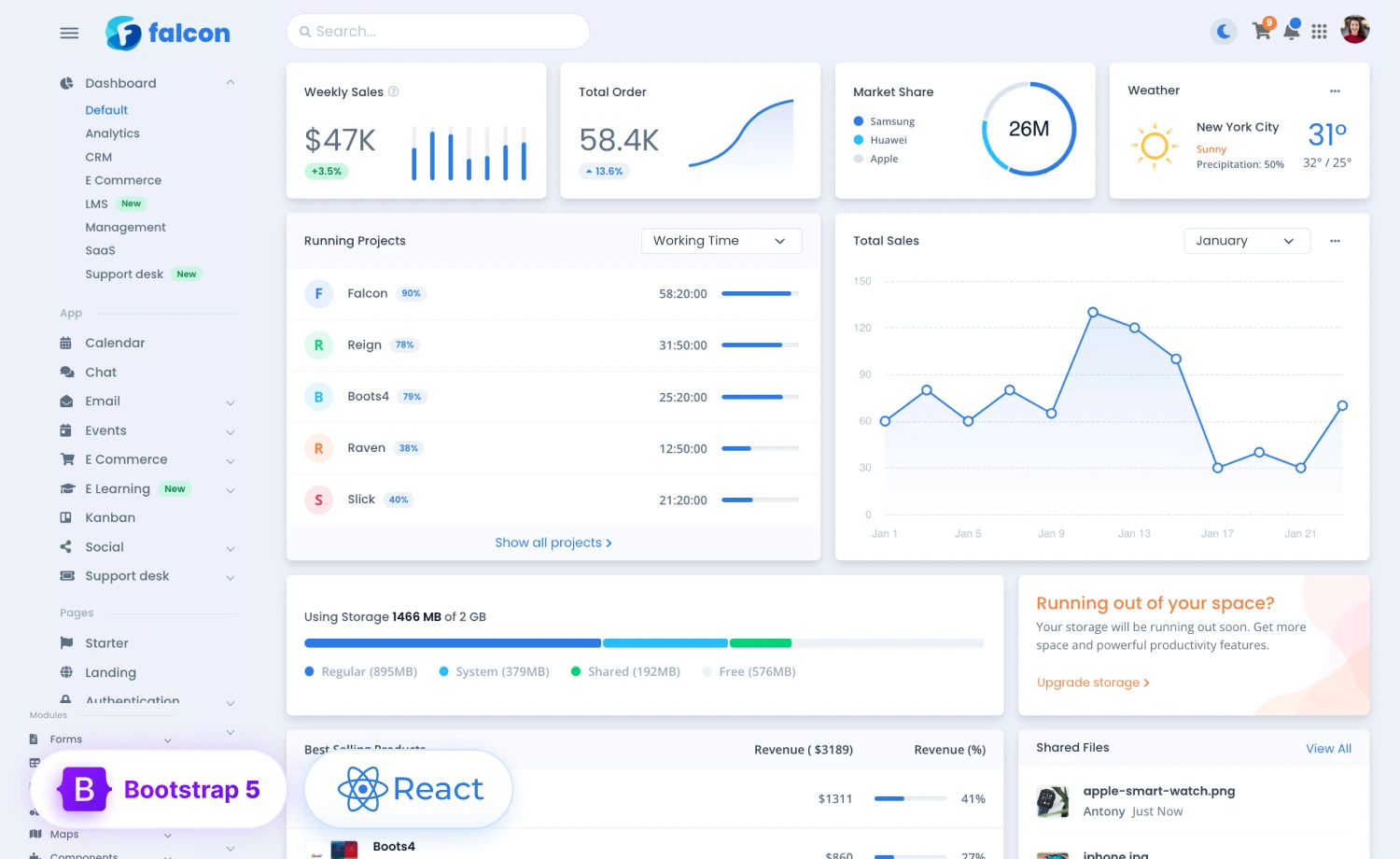
For over 10 years, the ThemeWagon team has built some of the most popular admin dashboard templates used by developers worldwide. But OneSuite didn’t start as another template idea. It started with one client’s problem.
A marketing agency in Allen, Texas, bought Phoenix, one of our admin dashboard templates. Later, they came back with a different ask, a CRM and project management system built around exactly how their agency worked: no bloat, just something their team could use every day.
While building it, one question kept coming up: what if this wasn’t just one agency’s problem?
So we talked to more than 70 agency owners across North America, and found the same pattern everywhere: leads in one app, projects in another, hours in a separate time tracker, contracts and invoices scattered across a dozen more. Plenty of CRMs and project tools existed, but almost nothing was built around the whole client journey, in one place the client could actually see.
That gap became OneSuite.
So, ThemeWagon is launching OneSuite, a client portal and business management platform for freelancers, solopreneurs, and agencies who want to run their clients, projects, time, communication, and billing from one workspace.
A New Lead Comes In. Then What?
A lead comes in. Your CRM logs it.
The proposal gets signed off. Your contract tool stores it somewhere.
Work starts, and your project tool takes over. Your time tracker starts counting hours somewhere else.
Then come the files, the meetings, the feedback, the timesheets, the invoices, the payments, and the constant client updates.
Every tool does its own job fine.
What none of them handle well is the relationship itself.
So you end up bouncing between apps, re-typing the same info, hunting for a missing file, and fielding questions your clients shouldn’t have to ask in the first place:
Where’s the latest file?
What’s the status?
Did they pay the invoice yet?
Which login do I use again?
What happens next?
Your clients never see the tools running your business.
They just feel how easy, or how frustrating, it is to work with you.
What if the whole client journey lived in one place, from the first inquiry to the final payment?
That’s what OneSuite does. It’s client portal software for agencies, freelancers, and solopreneurs that pulls your leads, projects, tracked time, contracts, invoices, files, payments, and client conversations into one workspace, and gives every client one simple portal to log into.
One Platform for the Entire Client Journey
Most business tools are built to solve one moment, not the whole journey.
Each one might be great on its own.
The handoff between them is where it falls apart.
OneSuite works differently. Instead of splitting sales, delivery, communication, and billing into separate workflows, it treats the whole client relationship as one connected path:
Lead → Proposal → Signature → Client Portal → Project → Tracked Time → Invoice → Payment
Everything happens in the same workspace. With OneSuite, you can:
- Win more clients with a built-in CRM and visual pipeline
- Get agreements signed with proposals, contracts, and e-signatures
- Run projects clearly with project management: tasks, files, deadlines, and budgets
- Track every hour and expense against the right client and project
- Get paid faster with professional invoices and online payments
- Give clients a branded client portal that feels like your own product
- Keep everything connected in one client record
The opportunity, the proposal, the contract, the project, the hours, the conversations, the files, the invoice: they all live under the same client.
Nothing to export. Nothing to enter twice. No guessing which app has the latest version.
How OneSuite Turns Client Work Into an Organized Experience
OneSuite brings together the tools freelancers, agencies, and solopreneurs already use every day. But the real difference isn’t the number of features. It’s how they connect.
A prospect turns into a client without anyone re-entering their info. A signed proposal becomes the start of a project. Hours tracked on that project flow straight into invoices. Client conversations stay tied to the work they’re about. Everything stays linked from the first conversation to the last payment.
1. Manage Leads and Clients Without a Messy Spreadsheet
A spreadsheet can hold names.
It can’t manage a relationship.
The moment a prospect replies, books a call, asks for a proposal, or loops in another decision-maker, the spreadsheet falls behind.
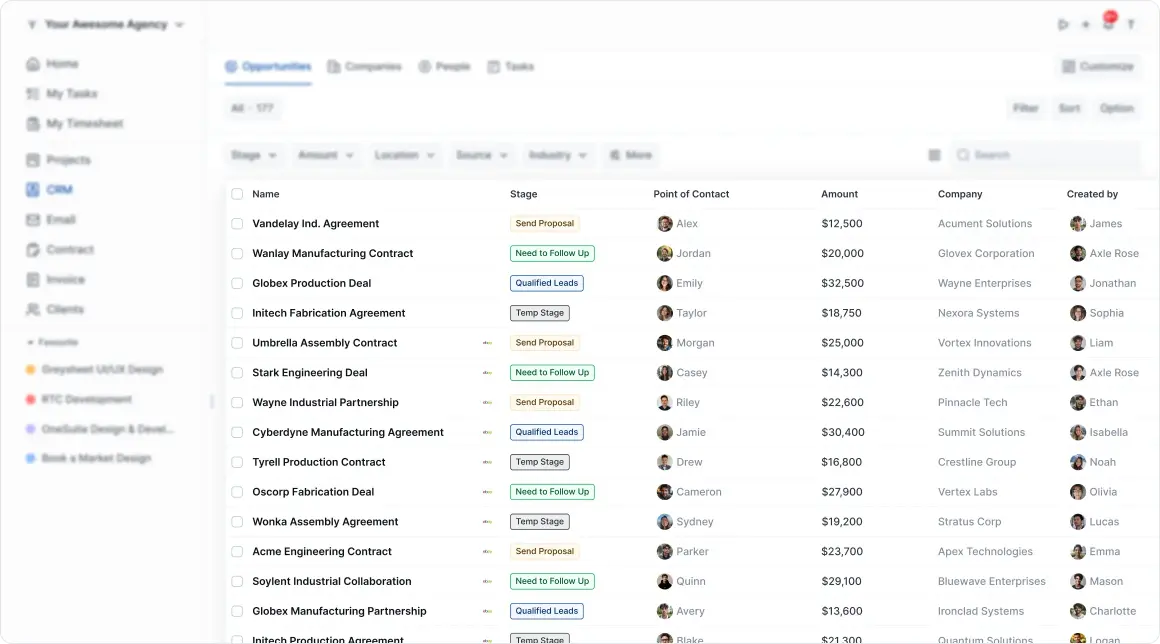
OneSuite’s built-in agency CRM and lead pipeline gives every prospect a clear stage, a full contact history, a next step, connected conversations, related companies and people, and every opportunity, project, document, and invoice tied to them.
Leads arrive from Gmail, your website forms, the API, or a CSV import. Each one lands on a Kanban pipeline with your own stages and a deal value on every card.
See the Whole Relationship at a Glance
Every client detail lives in one profile, so you can see the full picture in seconds. Each client profile can include:
Instead of digging through your inbox, a spreadsheet, your project tool, and an invoicing app before a client call, you just open one profile.
When a lead becomes a client, nothing gets exported or re-typed. The history just carries over.
2. Keep Projects, Tasks, Files, and Conversations in One Place
Most project tools are built around tasks.
OneSuite’s project management is built around delivering for the client.
A task is rarely just a task. It belongs to a project, which belongs to a client, who might also have a contract, a deadline, a budget, a set of files, a conversation thread, and an invoice attached. OneSuite keeps all of that connected and visible.
Run the Whole Delivery Process in One Place
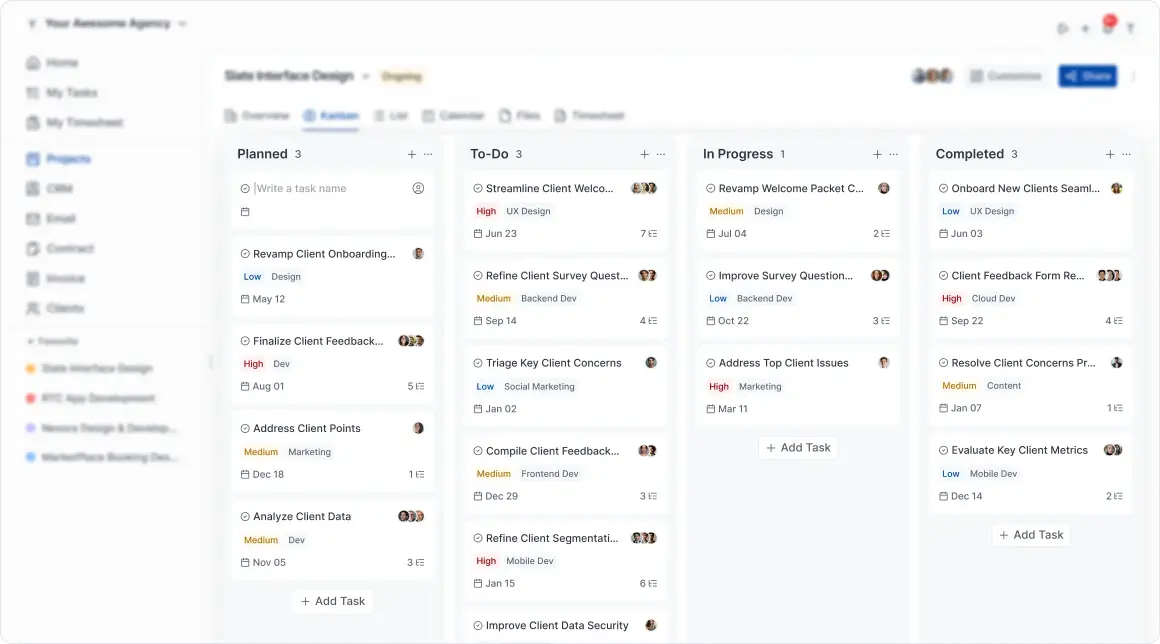
From kickoff to final sign-off, everything stays in the same workspace. You can:
- Build projects from scratch or from 40+ ready-made project templates
- Set tasks, milestones, and deliverables
- Set deadlines, priorities, and owners
- Switch between Kanban, List, and Calendar views
- Add custom fields for the details your team tracks
- Store files and briefs right inside the project
- Collect feedback in context
- Track approvals and change requests
- See what’s overdue or stuck
Whether you’re working solo or with a team, you can see at a glance what’s done, what’s in progress, what’s waiting on the client, what’s approved, what’s late, how much time’s gone into it, and what’s ready to bill.
Clients follow along through their own portal instead of sending another “just checking in” email.
Feedback stays attached to the actual work. Files stay where the project is. Decisions don’t get lost after the meeting ends.
You spend less time managing the work around the work.
3. Track Time, Expenses, and Budgets on Every Project
For most service businesses, hours are the product.
Yet in a lot of teams, time lives in a separate tracker, and someone copies it into an invoice at the end of the month.
In OneSuite, time tracking sits inside the same projects and tasks your team already works in. Start a timer from a task, or log hours in a Day, Week, Calendar, or List view. Recurring work takes one click with Copy from previous day or Copy from last week.
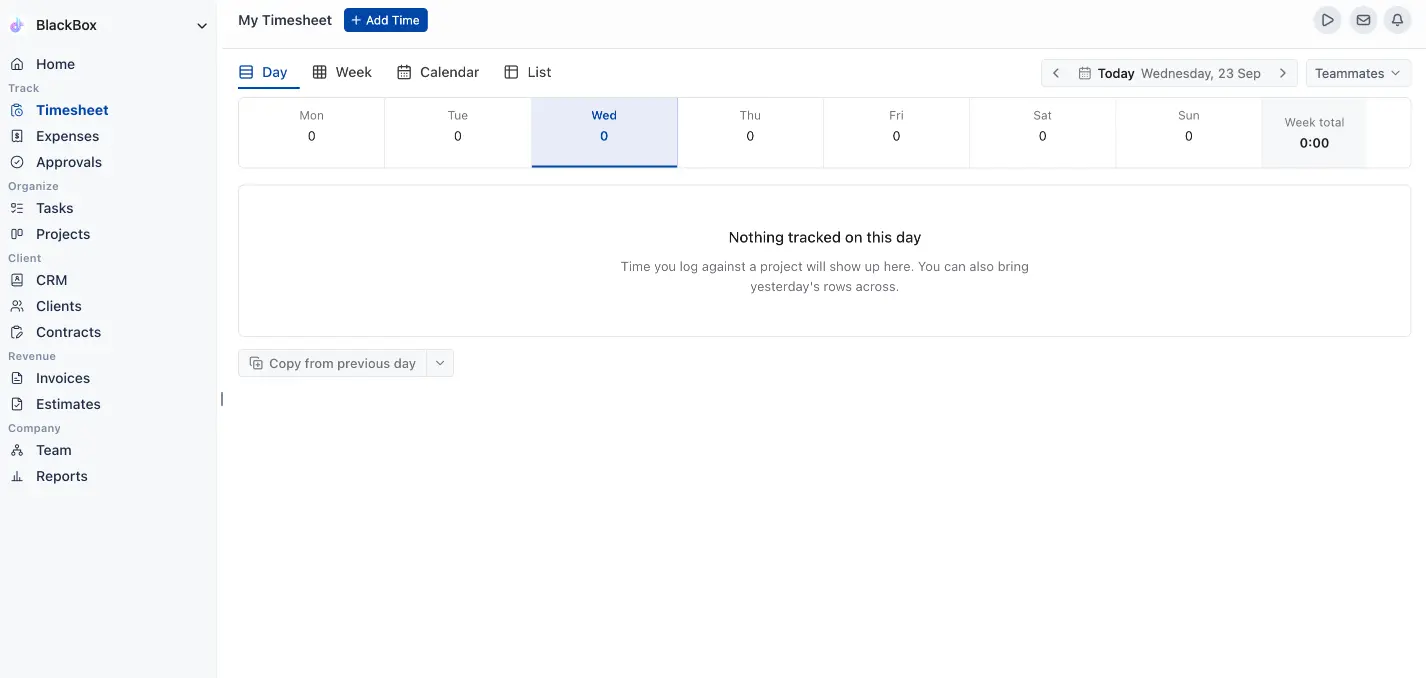
Know What Every Project Costs and Earns
Every hour and every cost stays tied to a client and a project:
- Work types: each hour is filed under design, development, admin, or your own categories, each with its own hourly rate
- Expenses: receipts upload in bulk, with billable and reimbursable switches and unit pricing for costs like mileage
- Budgets: set in hours or fees, per project, person, or work type, with a monthly reset for retainers
- Budget alerts: an email goes out when a project reaches the percentage you set
- Approvals: managers review submitted weeks, then approve them or send them back with a note
- Locked periods: settled weeks freeze, so approved numbers stay put
Approved billable hours collect on the project as an uninvoiced amount, ready for the next invoice. Nobody re-types a timesheet into a bill.
4. Give Every Client a Branded, Professional Portal
This is where OneSuite really stands out.
Every client gets one login and a branded client portal dashboard. From there they can:
- Track progress
- Review tasks and deliverables
- Approve work or ask for changes
- Get to shared files and upload their own
- Sign proposals and contracts
- View and pay invoices
- Book meetings through Calendly, Google Calendar, Outlook Calendar, or Zoom
- Send new requests
- Follow updates
Basically, everything they’d normally email you about is already sitting inside their portal.
Before you send an invite, View as Client shows you exactly what they’ll see.
No digging through old threads.
No asking for another link.
No wondering where a file went.
No confusion about what happens next.
Make It Feel Like Your Own Product
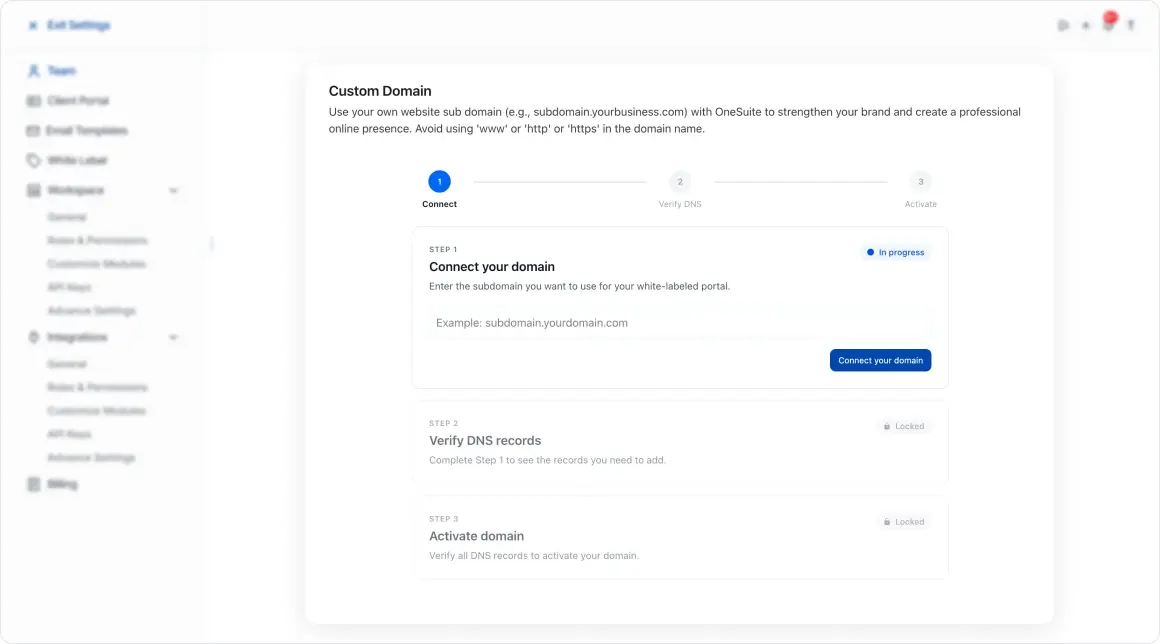
With the white-label add-on, you can run the portal on your own domain, with your logo, your brand colors, and your own login page.
Clients never need to know OneSuite exists behind the scenes. They just see a business that’s organized and easy to work with.
“I have been using it for approximately 5 months to manage my clients’ projects and to assign tasks to my employees. I like how easy and intuitive it is, as you don’t need to explain to your employees where to find their assignments and documents. It is very functional.”
Pedro C., CEO (via G2)
5. Send and Sign Documents Without the Back-and-Forth
Most projects start with a proposal. Then a scope of work. Then an NDA. Then a contract. Then the email asking if they’ve signed it yet.
OneSuite handles all of it in one place: the Document Hub & contract management.
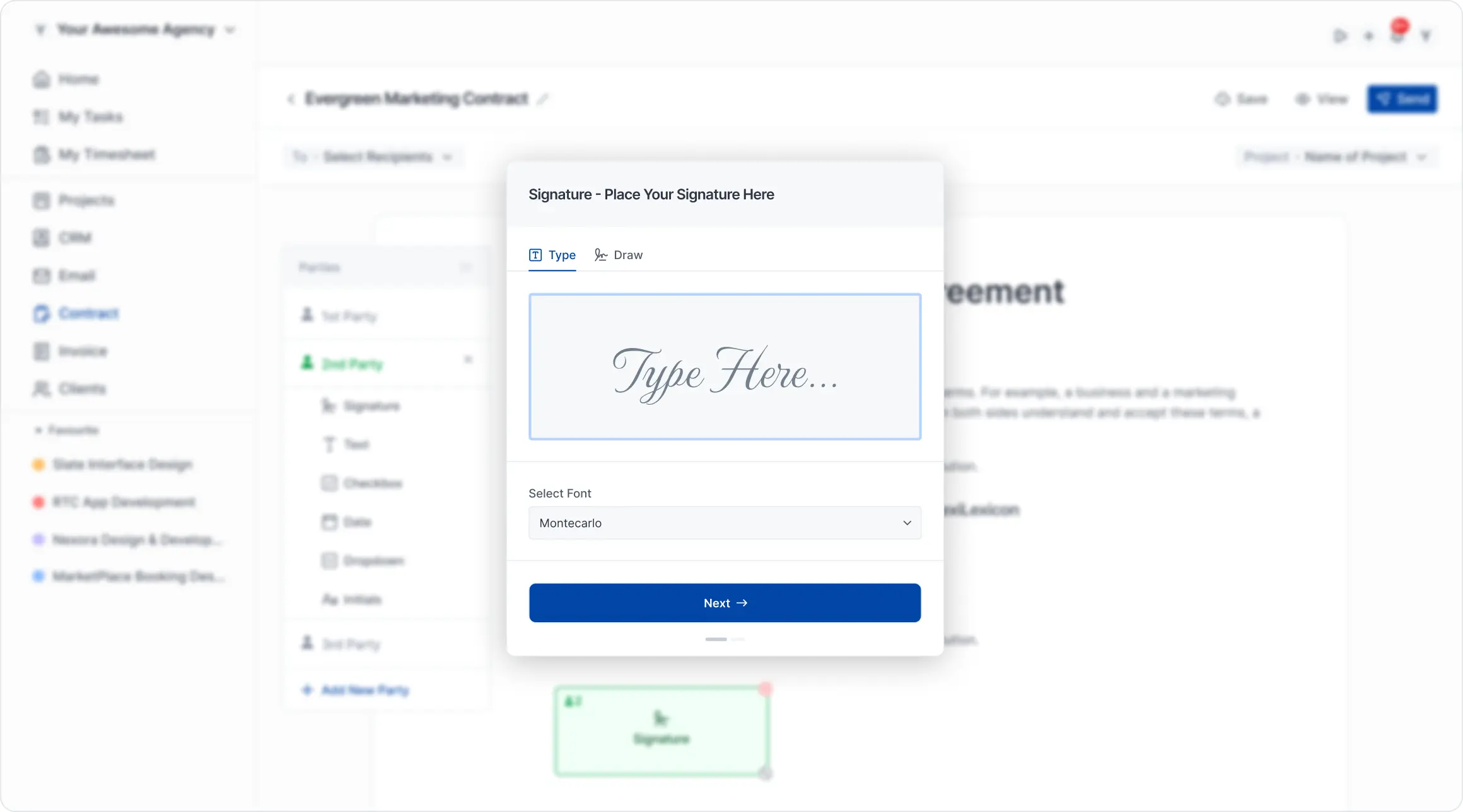
Manage Every Document & Contract From One Place
You can write documents in a Notion-style editor, start from contract, NDA, and proposal templates, or upload PDFs you already have. Send them to up to 10 signers, who sign without creating an account. Every signature is eIDAS-compliant, with a full audit trail, and every signed document stays linked to the right client.
Need sign-off from both a CEO and a CTO? Just add both as signers on the same document.
Once it’s signed, it stays stored in OneSuite, tied to that client’s profile. You’ll always know:
No printing.
No scanning.
No uploading the same PDF to three different tools.
No separate e-signature subscription for something that should already live with your client data.
6. Send Invoices and Get Paid Without Switching Apps
The work’s done. The client’s happy.
Now you need to get paid.
For a lot of businesses, this is where things get clunky again: digging up billing details, rewriting the project description, adding line items by hand, sending the invoice from a different app, then checking back over and over to see if it’s been paid.
OneSuite skips all of that. Since invoicing sits right next to your clients, projects, and timesheets, the info you need is already there.
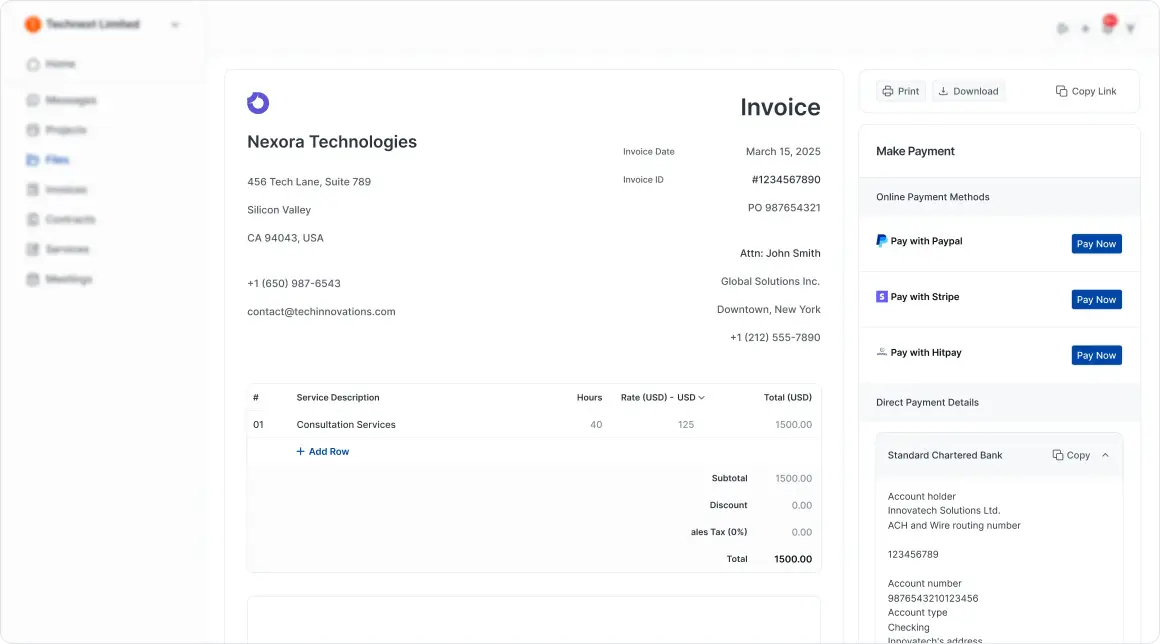
Quote First, Then Bill From the Work You Tracked
Before a project starts, send an estimate. Your client accepts or declines it from a link, with no login, and an accepted estimate turns into a draft invoice in one click.
When it’s time to bill, invoices come together in a few ways:
- From tracked time: all uninvoiced hours or a chosen date range, shown by work type, person, project, or entry
- Recurring: sent on a schedule until an end date, a set count, or a manual stop
- Retainers: prepaid balances that future invoices draw from
- Partial payments: logged against the invoice with a live remaining balance
- Reminders: automatic follow-ups on a schedule of days from the due date, until the invoice is settled
Clients pay right from their portal through Stripe, PayPal, Razorpay, HitPay, CHIP, or Quickpay.
You can see what’s been sent, opened, paid, or still outstanding without leaving OneSuite, and the whole payment history stays on the client record.
7. Package Any Service, Not Just One-Off Projects
A productized service is a packaged offer: fixed scope, fixed price, fixed timeline.
Clients see exactly what they’re buying. No custom quote. No discovery call.
This isn’t just for one-time work.
Retainers and subscriptions need it more. Predictable monthly revenue only works if the price and scope are locked in ahead of time, not renegotiated every month.
OneSuite’s productized services setup handles both. Charge one-time, monthly, or a hybrid. Add tiered plans and add-ons. Publish it as a link or embed it on your site.
(Insert the packages screenshot here. Set its alt text to: Productized service packages with fixed prices in OneSuite)
Clients pick a plan, sign, and pay on their own.
The moment they pay, OneSuite creates the project, sends the welcome email, opens their portal, and assigns the first tasks.
No manual onboarding, whether it’s a one-time project or a monthly retainer.
How Do You Manage Clients From Onboarding to Payment?
Features are one thing.
How they connect matters more.
A CRM, a project tool, a time tracker, an e-signature app, and an invoicing tool can each be great on their own. The problem starts when every step needs its own login, its own subscription, and a manual handoff to the next tool.
OneSuite gets rid of those handoffs.
Step 1: Make Onboarding Simple
A client says yes.
That should feel like a win.
Instead, it usually kicks off a whole to-do list:
Set up the client profile.
Draft the contract.
Ask for information.
Build the project.
Upload the files.
Send the first invoice.
Share the links.
Explain which tool does what.
OneSuite turns all of that into one step. Invite the client, and they get an email, set up their login, and land in a portal where their project, files, invoices, meetings, and to-dos are already waiting for them.
Your own setup is quick too. Pick your industry when you sign up, and OneSuite fills the workspace with sample data built for that kind of business, so you see how everything fits before adding real clients.
What You See From Day One
There’s less to explain because the setup explains itself.
Clients already know where to go and what’s next, so getting them started takes a fraction of the usual back-and-forth.
Step 2: Deliver Work With Less Back-and-Forth
Clients get frustrated when they can’t see progress.
You get frustrated explaining it over and over.
OneSuite fixes both sides of that.
You can scope the project, list deliverables, break work into tasks, set deadlines and priorities, assign responsibility, share progress with the client, ask for approval, and log feedback as it comes in.
When something’s ready, the client reviews it right in the portal. They can approve it or ask for changes. That feedback stays tied to the actual deliverable instead of turning into another email thread.
You end up with a clear trail: what was sent, what they asked for, what changed, what got approved.
That record protects the relationship when memories get fuzzy later.
Step 3: Keep Every Conversation in Context
Adding another messaging app doesn’t make communication easier.
Giving every conversation context does.
In OneSuite, a question about a task stays on that task. Feedback on a deliverable stays with the deliverable. Client emails stay tied to their profile through the built-in email inbox, which syncs with Gmail and comes with reusable email templates. A new request lands in the same system where it’ll get handled. Files and documents stay linked to the work they belong to.
You’re not digging through email, chat apps, task comments, meeting notes, and shared drives trying to remember what was decided.
Working solo, you always know where a conversation lives. Working with a team, nobody has to forward a thread to catch someone up.
No more “just checking in” emails.
No more decisions buried in someone’s private inbox.
Step 4: See Projects, Payments, and Performance in One View
Your pipeline tells one story. Your project tool tells another. Your time tracker and invoicing app tell two more.
When they’re all disconnected, understanding your own business means pulling exports and building spreadsheets.
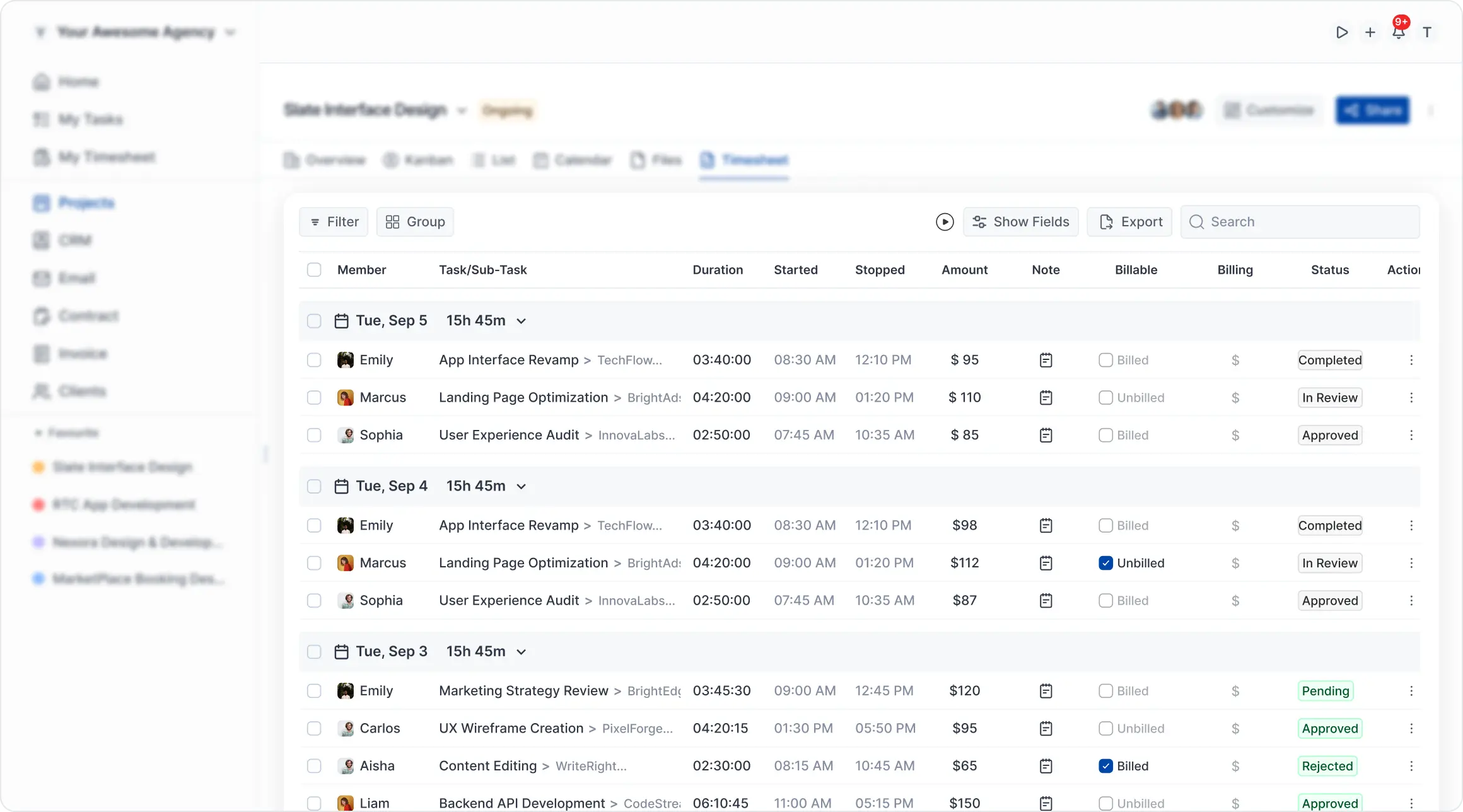
OneSuite gives you one view instead.
The dashboard shows active clients, ongoing projects, total revenue, and pending invoices, with widgets you arrange the way you like. Reports go deeper, with separate views for time, profitability, invoicing, contractors, and an activity log.
The Profitability report lines up revenue, cost, and profit for any client, project, team member, or work type. Build a custom report, save it, and have it emailed to your team daily, weekly, or monthly, or export it to Excel, CSV, or PDF.
You can click from a high-level number straight down to the client, project, task, document, or invoice behind it. Reporting actually means something because it’s tied to real client work, not pieced together from four different tools.
OneSuite in Action
Here’s how different businesses actually use OneSuite day to day.
Freelance Designers and Developers
A freelancer gets a website inquiry. It lands in the pipeline. The proposal goes out. The client signs electronically. The project gets created. The client gets access to their portal.
Through the project, the client checks milestones, grabs files, and leaves feedback right in the portal. Once the final piece is approved, the invoice gets built from the project info and tracked hours that are already there. The client pays online.
One relationship. One subscription. One place to run it all.
Web Design and Development Agencies
An agency juggling multiple builds, retainers, maintenance contracts, and stakeholders at once gives each project its own tasks, files, deadlines, budget, conversations, documents, and invoices.
Clients review designs, staging links, agreements, and invoices without a mile-long email thread. Recurring invoices go out on schedule. Time gets tracked against each budget. Workload stays visible.
The agency gets control. The client gets a clean experience.
Digital Marketing and Creative Agencies
Marketing and creative work moves fast: briefs change, assets need sign-off, reports go out, revisions come back, and invoicing depends on retainers, campaigns, or finished deliverables.
A shared client workspace for marketing agencies and creative teams keeps briefs, tasks, files, approvals, conversations, and billing together. Clients check progress in the portal instead of asking for updates. Approvals happen right where the work lives. Feedback stays attached to the right asset. Retainer budgets reset every month, so the team always knows how many hours are left.
The team spends its energy on the work instead of chasing sign-offs across five tools.
Consultants and Solopreneurs
A solo consultant doesn’t need a huge system, but still has to manage leads, estimates, agreements, meetings, files, deliverables, and payments like a real business. OneSuite gives that structure without the overhead.
A client can go from first inquiry to accepted estimate to signed agreement to delivered work to paid invoice, all in one flow.
Less time on admin, more time on the work, and the client still gets an organized, professional experience.
Built to Fit the Way You Already Work
Switching platforms shouldn’t mean rebuilding your business from zero.
OneSuite connects with the tools you already use:
- Accounting: QuickBooks Online and Xero
- Payments: Stripe, PayPal, Razorpay, HitPay, CHIP, and Quickpay
- Email and meetings: Gmail, Google Calendar, Outlook Calendar, Calendly, and Zoom
- File storage: Google Drive and OneDrive
- Custom workflows: Pabbly Connect, webhooks, and a REST API
The full list sits on the integrations page.
You can move pieces of your client workflow into OneSuite gradually. You don’t have to switch everything on day one.
Switching From Another Platform?
Looking for an alternative to:
- Bonsai
- HoneyBook
- Dubsado
- Assembly
- Plutio
- Harvest
A different client portal? Just a way to cut down on subscriptions?
See how OneSuite compares, and we’ll help you make the move.
Free Migration Support
The OneSuite team will move your client records, projects, invoices, and documents for you. Your plan also comes with white-glove onboarding, a 1:1 strategy call, and priority support, so you’re not figuring it out alone.
Simple Pricing Without Per-Client Limits
Good client portal software shouldn’t cost you more every time you land a new client.
OneSuite prices by team members, not by client count. There’s one plan, Pro, with every feature included, so there are no tiers to compare.
OneSuite Pricing
Add seats as your team grows and remove them when it shrinks. There’s no long-term contract.
What Pro Includes
Unlimited clients, unlimited projects, unlimited invoices, unlimited documents, time tracking and budgeting, client portal access, CRM with up to 3,000 leads, 10 GB of storage, free migration, white-glove onboarding, and priority support.
Add-Ons
Trial and Billing
Price out a CRM, a project tool, a time tracker, an e-signature app, an invoicing tool, and a client portal separately, and the total quickly passes what one OneSuite seat costs.
One workspace for you.
One simple portal for every client.
No credit card needed to try it.
Build a Better Website With ThemeWagon, Manage Your Agency Smarter With OneSuite
If you’re building sites, dashboards, or products with ThemeWagon templates, shipping the product is only half the job.
Around every build there’s a lead who asked for it, a proposal that scoped it, a contract that set expectations, tasks and deadlines that got it done, hours that went into it, feedback that shaped the final result, and an invoice that turned it into revenue.
For more than a decade, ThemeWagon has helped developers, freelancers, and agencies ship dashboards, landing pages, and web apps faster with ready-made templates. Along the way, we kept hearing the same thing: building the product was the easy part. Managing the client around it was where things got messy, spread across too many tools.
That original marketing agency, the one that started all of this, is still running on OneSuite today. You can read their CRM case study and their five-star Clutch review.
That’s why OneSuite pairs naturally with ThemeWagon.
Together, they make running a service business simpler:
Ship faster. Manage better. Deliver a client experience as polished as the work itself.
Start your 14-day free trial or book a demo to see OneSuite in action.