Harvest makes it easy to track time and bill clients. But what happens when your software costs increase or your team needs more than timers and invoices?
Some Harvest users have reported higher renewal bills in 2026, while others need better project management, timesheet approvals, or more control over their budgets.
The good news? There are alternatives for different budgets and workflows.
In this guide, we’ll compare 11 Harvest alternatives, from free time trackers to complete agency management platforms. You’ll learn what each tool offers, how much it costs, where it falls short, and which one makes sense for your business.
Quick answer
- OneSuite: Time tracking, billing and client portal on one plan
- Clockify: lowest cost with broad features
- Productive: margins, capacity and approvals for agencies
- Kimai: open source and self-hosting
Customer figures in this article are reported by customers. Harvest has not confirmed them.
Best Harvest Alternatives at a Glance
| Software | Best for | Starting price | Free plan | Harvest import |
|---|---|---|---|---|
| OneSuite | Project, Budget, Billing and client portal | $7 per user a month, annual | No, 14-day trial | Assisted, free migration |
| Clockify | Budget teams | $3.99 per user a month, annual | Yes, up to 5 users | CSV, documented |
| TimeCamp | Automatic tracking | $2.49 per user a month, annual (regular $3.99) | Yes, unlimited users | Free Marketplace add-on |
| Everhour | Teams in Asana, Jira, ClickUp | $8.50 per seat a month, annual | Yes, up to 5 seats | CSV, scope unstated |
| Paymo | Design and web teams | $5.90 a month for 1 user, annual | Yes, 1 user | Not verified |
| Productive | Agency margin and capacity | $10 per user a month, billed yearly | No | Native importer |
| Keito | Flat team pricing | $16 a month per workspace, annual | Yes, 1 user | Native importer, includes invoices |
| MinuteDock | Xero and QuickBooks billing | $19 a month, 1 user | No | Assisted, staff-run |
| Miru | Developers on a budget | $1 per member a month | Self-hosted only | CSV, time entries |
| Kimai | Self-hosting | EUR 2.99 per user a month, annual | Self-hosted only | Generic CSV |
Why People Are Leaving Harvest in 2026: What Customers Report
Harvest still has many happy users. But in 2026, some customers reported much higher renewal bills. Harvest has not confirmed these figures, and they come from people who chose to post.
What Harvest Says on Its Own Pages
- Free: 1 seat, 2 projects.
- Teams: $9 per seat a month on annual billing, or $11 monthly.
- Enterprise: $14 annual, or $17.50 monthly.
- Usage: extra invoices, projects, clients and tasks are billed by usage. Rates are not published.
Bending Spoons acquired Harvest in 2025.
Long-Time Customers Report the Biggest Jumps
| Who | Reported change | Source |
| Mike Martin, web designer | $211.20 to $2,547.60 a year | Bloomberg Government, Aug 2026 |
| Salentis, UK consultancy | About $130 to $2,110 a month | Subscription Insider, Aug 2026 |
| Ted, reviewer | About $2,000 to $22,000 a year | Trustpilot, Jul 2026 |
| Justin Turner, reviewer | $69 to $821.50 a month | Trustpilot, Aug 2026 |
| burningChrome | Price “almost double” | Hacker News, 2026 |
| forsatellite | No increase so far | Hacker News, 2026 |
Customer-reported. The sample leans negative.
- Small Accounts Took a Big Percentage Hit: Solo users report large percentage jumps. Ian went from $12 to $116.50 a month (Trustpilot, Sep 2026).
- Usage Charges Without Published Rates: Harvest does not say what usage costs. One single-seat user reports a rise from about $168 to over $19,000 a year before negotiation (iFeeltech blog).
- Short Notice and Discounts That Came Late: Ian reports about ten days’ notice. Justin Turner reports 30 days. If your renewal is close, export your data first.
- Card and ACH Fees Came as a Second Surprise: Some accounts pay an extra card and ACH fee on top of Stripe’s. The rate shows when you create an invoice.
- What Harvest Still Does Well: Reviewers still praise the clean interface and invoicing from tracked time. If your bill is small, Harvest may still suit you.
Reviewers still praise the clean interface and invoicing from tracked time. If your bill is small, Harvest may still suit you.
How We Picked These Harvest Alternatives
We chose tools that appear often in Harvest comparisons, plus newer ones Harvest users mention or that now offer a Harvest import.
We checked official pricing pages, help articles and public reviews, and marked anything we could not confirm “Not verified”. This is research, not hands-on testing.
Disclosure: ThemeWagon launched OneSuite in July 2024, so we have a relationship with it. OneSuite is listed first, follows the same rules as every other tool, and is not presented as the winner.
11 Harvest Alternatives Reviewed: Pricing, Features and User Feedback
Here are 11 Harvest alternatives, from free tools to full agency platforms. Each review covers features, pricing, pros and cons, and what users say.
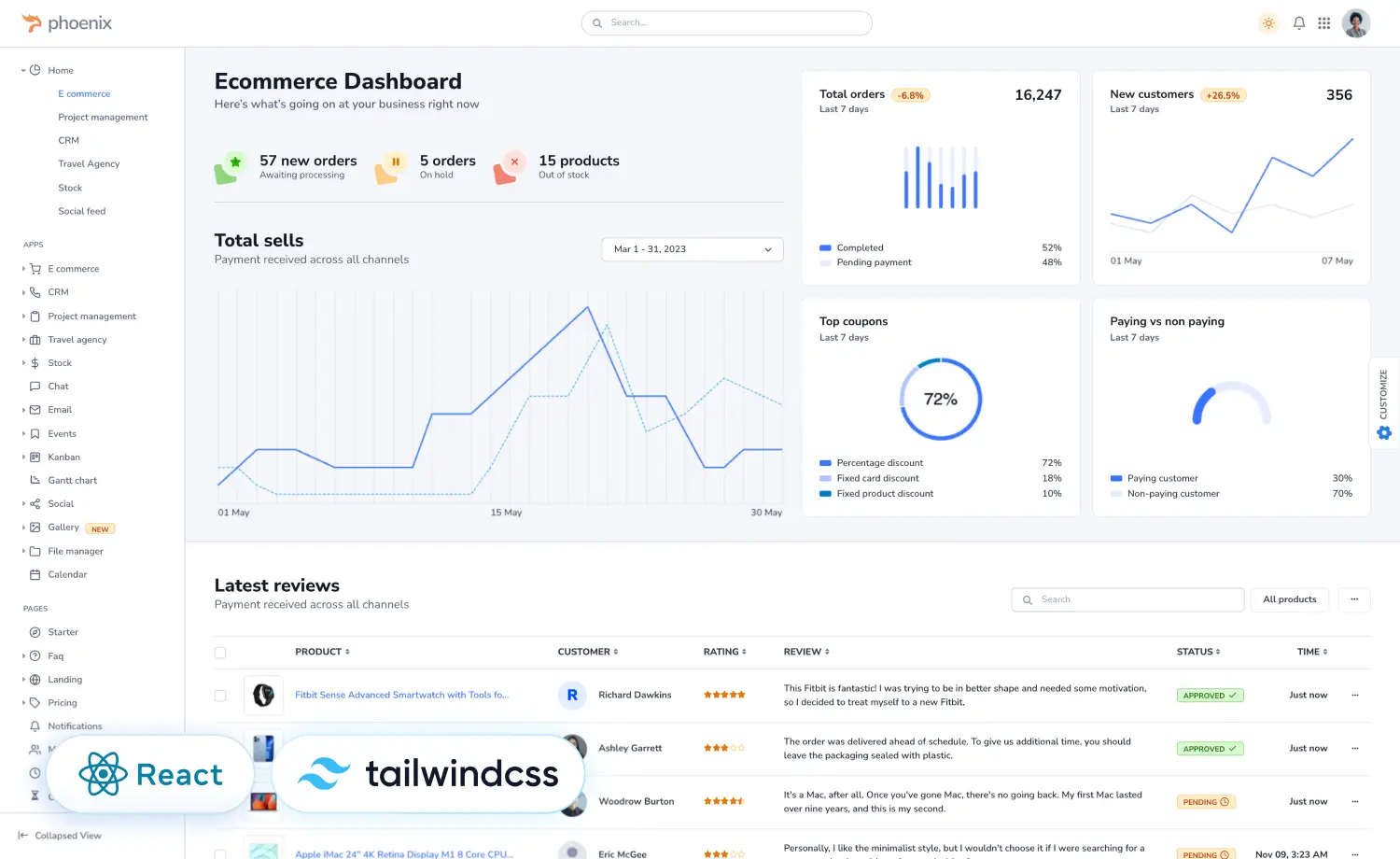
1. OneSuite : Best for Agencies Wanting Billing, Client Portal and CRM on One Plan
Disclosure: ThemeWagon launched OneSuite in July 2024. We follow the same format and the same rules for OneSuite as for every other tool here, including a plain list of its limits.
OneSuite is a client and business management platform that puts time tracking, project budgets, invoicing and a client portal in one subscription. It suits Harvest users who also want the client side in one place.
One Capterra reviewer said their Harvest renewal rose from about $6,000 to about $30,000 a year and that they were moving to OneSuite. That is one customer’s account, and we could not verify it.
Two things to know. OneSuite is young, with 19 reviews on G2. It has no mobile app yet, and timers start manually.
Key features
- Time tracking: Timer, manual entry and timesheets.
- Invoicing: Invoices from approved hours, plus recurring invoices.
- Expenses: Project expenses with receipts.
- Budgets and profit: Budget alerts and a profitability report.
- Approvals: Approve or send back timesheets, then lock the period.
- Client portal and payments: Clients follow progress and pay online. QuickBooks Online and Xero sync.
Pricing plans (checked November 12, 2026, official pricing)
Prices are per user, per month, billed annually.
- Pro (the only plan): $7. Every feature listed above is in this one plan.
Monthly billing is $9. The trial lasts 14 days, with no credit card. OneSuite also offers free migration help for Harvest users.
Pros and cons
| Pros | Cons |
| Client portal included in the plan | No mobile app yet |
| Invoices from approved hours | Timers start manually |
| One simple per-user price | No outgoing webhooks or Zapier yet |
| Free migration help for Harvest users | Small review base |
What users say
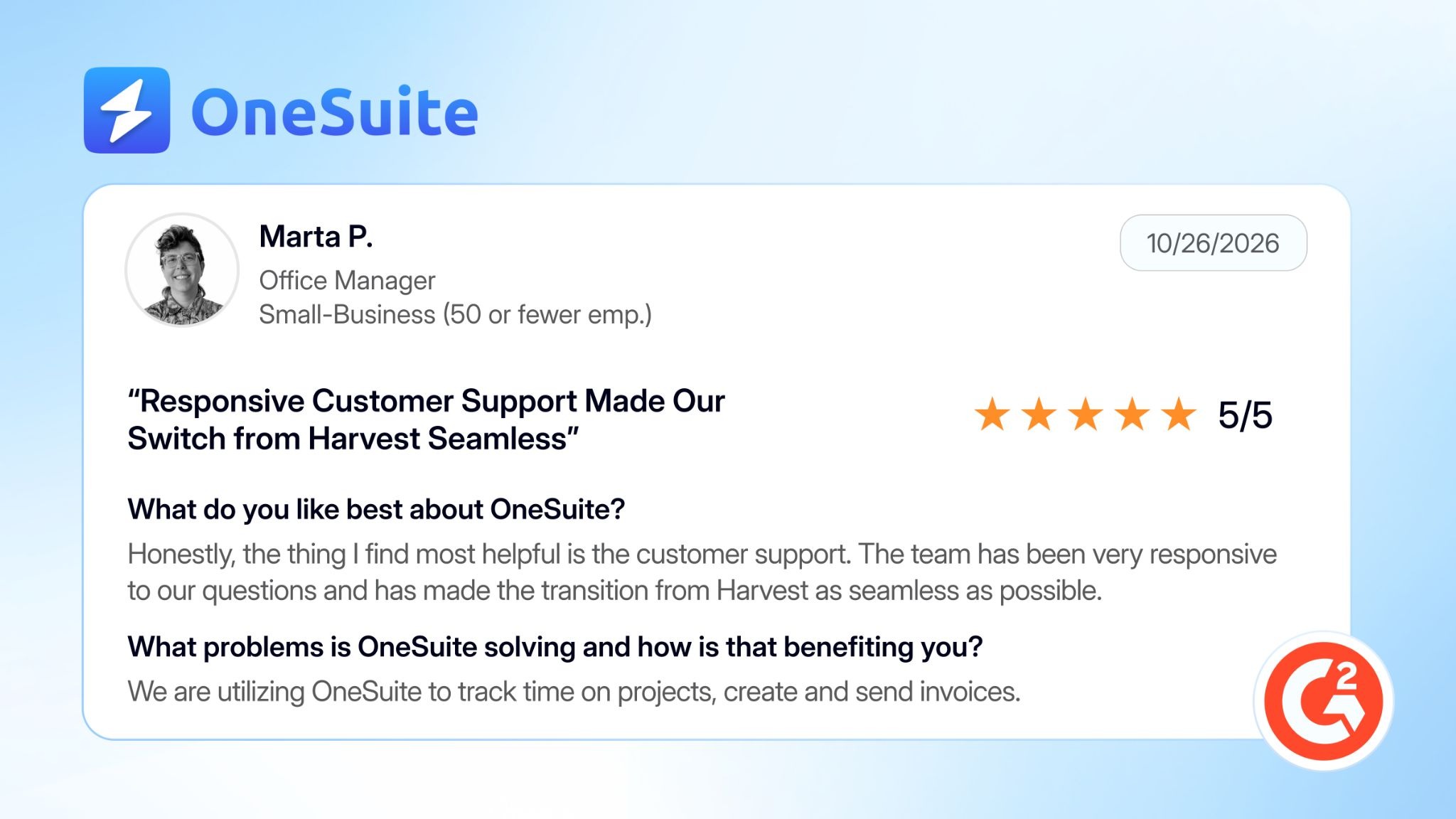
👍 Support made the move from Harvest smooth. Marta P., G2, October 2026 (reviews)
👎 Calls the product new, so some features are still incomplete. Jude, G2, June 2026 (reviews)
Both reviews are marked organic on G2, and Marta P.’s is featured by OneSuite on its own site. We found no review below five stars, so Jude’s point comes from a five-star review.
2. Clockify: Best for Budget Teams and a Free Starter Plan
Clockify is a time tracker and timesheet app from CAKE.com. Its paid plans start under $5 per user a month, and invoicing and timesheet approvals begin on the third tier, Standard.
One Capterra reviewer said they moved from Harvest after its price changes and found Clockify easier to use than most trackers. Clockify also has a help article that walks Harvest switchers through a CSV import.
Two things to know. The free plan shrank in 2026: it is capped at five users, reports cover one month, and CSV and Excel export is paid. And we found no online invoice payments documented, so payments are recorded manually.
Key features
- Time tracking: Timer, timesheets and calendar. Free for up to five users.
- Invoicing: Invoices and recurring invoices from Standard.
- Expenses: Track billable expenses and add them to invoices, from Pro.
- Budgets and profit: Project budgets and profit reports on Pro.
- Approvals: Timesheet approval from Standard.
- Integrations: Jira, Asana, ClickUp, Trello, GitHub and Slack. QuickBooks Online from Standard. Xero is a paid add-on.
Pricing plans ( official pricing)
Prices are per user, per month, billed annually.
- Free: $0 for up to five users.
- Basic: $3.99
- Standard: $5.49. Adds invoicing and approvals.
- Pro: $7.99. Adds expenses, budgets and profit reports.
Monthly billing costs a little more. The trial lasts 7 days, with no credit card.
Pros and cons
| Pros | Cons |
| Free plan for up to five users | Free reports cover only one month |
| Invoicing and approvals from $5.49 | Online invoice payments not documented |
| Documented Harvest CSV import | Expenses and budgets need Pro |
| Jira, Asana, GitHub and QuickBooks links | Xero is a paid add-on |
What users say
👍 Set up the team quickly and liked seeing time by client and project. Peter B., Capterra, October 2026 (reviews)
👎 Still a great product, but longer reporting periods are now locked behind paid plans. Reviewer listed as CEO, Capterra, October 2026 (reviews)
Capterra shows no incentive label on these reviews. Clockify’s free-plan changes are confirmed in a CAKE.com post from April 2026.
3. TimeCamp: Best for Low-Cost Automatic Tracking With Invoicing
TimeCamp is a time tracker built around automatic tracking. A desktop app watches app and window use and can start and switch timers from keywords you set.
Its free plan allows unlimited users and projects, and includes automatic tracking. Harvest’s free plan is one seat and two projects. TimeCamp also has a free Marketplace add-on that imports Harvest time entries, users and tasks.
Two things to know. Approvals, expenses and billing rates sit on the top plan, Ultimate. And we found no online invoice payments documented.
Key features
- Time tracking: Timer, weekly timesheet, calendar and automatic tracking. Free for unlimited users.
- Invoicing: Invoices from tracked time, from Starter.
- Expenses: Billable expenses on Ultimate.
- Budgets: Time and money budgets with alerts, from Premium.
- Approvals: Timesheet approvals on Ultimate.
- Integrations: Jira, GitHub, Asana and ClickUp. QuickBooks and Xero invoice export on Premium.
Pricing plans (official pricing)
Prices are per user, per month, billed annually.
- Free: $0 for unlimited users.
- Starter: $3.99. Adds invoicing.
- Premium: $6.99. Adds budgets and QuickBooks or Xero export.
- Ultimate: $9.99. Adds approvals, expenses and billing rates.
Monthly billing costs more. TimeCamp’s homepage says the trial lasts 14 days, with no credit card.
Pros and cons
| Pros | Cons |
| Free plan with unlimited users | Approvals and expenses need Ultimate |
| Automatic tracking on every plan | Online invoice payments not documented |
| Free Harvest importer | Premium includes one sync integration |
| Invoicing from $3.99 | Importer lists no invoices or expenses |
What users say
👍 Likes the desktop and keyboard activity detection. Reviewer listed as Owner, Capterra, September 2026 (reviews)
👎 Easy to set up, but building billing rates for one employee across projects is tricky. Cheng Q., Capterra, November 2026 (reviews)
Capterra shows no incentive label on these reviews. There are few 2025 to 2026 TimeCamp reviews, and none mention Harvest.
4. Everhour: Best for Teams Working in Asana, ClickUp, Jira or Trello
Everhour is a time tracker with built-in budgets and invoicing. Its timer sits inside Asana, ClickUp, Jira, Trello and Linear, so people can track from the task itself.
Budgets can recur from daily to yearly, with alerts, and invoices can be copied to QuickBooks Online, Xero or FreshBooks as drafts. Everhour’s Harvest import is documented only in an October 2026 blog post, which describes a CSV upload of time data.
Two things to know. The Team plan bills for at least five seats, and there is no automatic tracking yet.
Key features
- Time tracking: Timer and timesheets inside Asana, ClickUp, Jira, Trello and Linear.
- Invoicing: Invoices from tracked time and expenses, as PDF.
- Expenses: Receipts that flow into invoices.
- Budgets: Recurring budgets with alerts at 75%, 90% and 100%.
- Approvals: Timesheet approval and time off.
- Accounting: Invoices copy to QuickBooks Online, Xero or FreshBooks.
Pricing plans ( official pricing)
Prices are per user, per month, billed annually.
- Free: $0 for up to five seats, with no integrations.
- Team: $8.50. Every feature, with a five-seat minimum.
The trial lasts 14 days, with no credit card.
Pros and cons
| Pros | Cons |
| Timer inside your project tool | Five-seat minimum on Team |
| Recurring budgets with alerts | No automatic tracking |
| One paid plan with every feature | Online invoice payments not documented |
| Invoices copy to accounting tools | Harvest import only in a blog post |
What users say
👍 Called moving timesheets from Tempo to Everhour smooth, and liked the admin interface. Dale I., Capterra, November 2025 (reviews)
👎 Keeps them organized, but pricing can be steep for smaller teams. Reviewer listed as Developer, Capterra, August 2025 (reviews)
Capterra shows no incentive label. The newest Everhour review we found is from November 2025, and none of these reviewers moved from Harvest.
5. Paymo: Best for Design and Web Teams That Want Project Management and Billing
Paymo combines tasks, time tracking, invoicing and scheduling. It suits Harvest users who also want to manage the work itself.
It has a free plan for one user with unlimited invoices. Paymo says it will help migrate Harvest data, but we found no documented import tool.
Two things to know. Timesheet approvals, Gantt charts and scheduling are on the Pro plan. And Paymo’s help center and pricing page label its prices differently.
Key features
- Time tracking: Timer, timesheets and the Paymo Track desktop app. Native iOS and Android apps. Free for one user.
- Invoicing: Unlimited invoices on every plan. Recurring invoices from Plus.
- Expenses: From Plus.
- Profit: Profitability reports from Plus.
- Approvals: Timesheet approvals on Pro.
- Tasks and scheduling: Kanban boards, plus Gantt and team scheduling on Pro.
Pricing plans (official pricing)
Prices are per user, per month, billed annually.
- Free: $0 for one user.
- Solo: $5.90 for one user.
- Plus: $10.90
- Pro: $16.90
Paymo’s pricing page and help center label these prices differently, so check the “Annually”. The trial lasts 15 days, with no credit card.
Pros and cons
| Pros | Cons |
| Free plan with unlimited invoices | Free and Solo are one user only |
| Tasks, Kanban and Gantt included | Approvals and Gantt need Pro |
| Paymo Track logs desktop activity | No documented Harvest import |
| Native iOS and Android apps | No full client portal |
What users say
👍 Likes having tasks, time tracking and invoicing in one place. G2 verified user, June 2025 (reviews)
👎 Said a client payment took three days to reach the bank, with no support reply. G2 verified user, April 2025 (reviews)
G2 does not show full names for these reviewers. Both are marked organic. The payment complaint is a single account that we could not verify.
6. Productive: Best for Agencies Managing Margin and Capacity
Productive is an agency platform for projects, budgets, resource planning, time, invoicing and profitability. It is aimed at agencies, not solo freelancers.
It has an official Harvest importer for companies, projects, people, tasks, cost rates and three months of time. A Capterra reviewer who switched from Harvest called it intuitive, with good resource views.
Two things to know. There is no free plan, and every plan needs at least three seats.
Key features
- Time tracking: Timers and timesheets, with calendar-based suggestions.
- Invoicing: Invoices from time, expenses or budgets. Syncs to Xero, QuickBooks, Exact and Sage.
- Expenses: On Essential. Expense approvals on Professional.
- Budgets and profit: Budgets from Essential. Revenue forecasting on Ultimate.
- Approvals: Billable-time approvals and rate cards on Professional.
- Resource planning: Included from Essential.
Pricing plans ( official pricing)
Prices are per user, per month.
- Essential: About $10 to $12
- Professional: About $25 to $29. Adds approvals and rate cards.
- Ultimate: Custom pricing.
Productive’s pricing page shows conflicting monthly and yearly figures, so check the live toggle. Every plan needs at least three seats. The trial lasts 14 days, with no credit card.
Pros and cons
| Pros | Cons |
| Official Harvest importer | No free plan |
| Resource planning from the entry plan | Three-seat minimum |
| Approvals and rate cards on Professional | Import skips expenses and invoices |
| Invoices sync to Xero and QuickBooks | Pricing page shows conflicting figures |
What users say
👍 Found onboarding intuitive and enjoys daily task and time tracking. Alex A., G2, October 2026 (reviews)
👎 Likes the planning tools, but finds frequent interface changes and pushed AI features frustrating. Paolo L., G2, November 2026 (reviews)
Both are marked organic on G2. We could not confirm the price rise Paolo L. describes.
7. Keito (New): Best for Agencies Wanting Flat Team Pricing and a Guided Harvest Import
Keito is a newer time tracking and invoicing tool for consultancies. It charges per workspace, so adding colleagues does not raise the bill on its Pro and Business plans.
It is the only genuinely new product on this list. Its self-serve Harvest importer brings in clients, projects, time, expenses, invoices, payments and estimates. One Trustpilot reviewer said she left Harvest after a sharp billing-fee increase.
Two things to know. Its public history is short, with a changelog starting in March 2026, and its mobile apps are test releases.
Key features
- Time tracking: Timers and weekly timesheets on every plan.
- Invoicing: Invoices from billable time, recurring invoices and retainers.
- Payments: Stripe on every paid plan.
- Expenses and budgets: Expenses billed to invoices, plus project budget reports.
- Approvals: Timesheet and expense approvals from Pro.
- Integrations: Jira Cloud, Slack and GitHub through Chrome. QuickBooks Online and Xero on Business.
Pricing plans (official pricing)
Prices are per workspace, per month, billed annually.
- Solo: $16 for one user.
- Pro: $39 for unlimited users. Adds approvals.
- Business: $159. Adds QuickBooks, Xero and staff scheduling.
Monthly billing costs more. The trial lasts 14 days, and a credit card is required.
Pros and cons
| Pros | Cons |
| Flat workspace price | Short public history |
| Self-serve Harvest importer with invoices | Mobile apps are test releases |
| Stripe payments on every plan | QuickBooks and Xero need Business |
| Approvals from Pro | No free plan; trial needs a card |
What users say
👍 Left Harvest after a sharp billing-fee increase, and says Keito covers a small business’s needs. Rhiannon Morsch, Trustpilot, October 2026 (review)
👎 Sees promise, but says it needs much more work and calls the missing mobile app a major problem. Jame, Trustpilot, October 2026 (review)
Trustpilot labels all of Keito’s reviews as unprompted, but all 16 were posted between October 13 and 27, 2026. Only three are below five stars.
8. MinuteDock: Best for Studios That Invoice Through Xero or QuickBooks
MinuteDock is a time tracking and billing tool built around accounting software. It sends tracked hours as invoices to Xero, QuickBooks Online, MYOB or Wave. It has been around for more than fifteen years.
Plans are flat tiers by team size, with unlimited clients, projects and invoices. Harvest data is moved by staff: you email your export, and the import usually takes a few days.
Two things to know. Expenses and timesheet approval are beta features switched on by email. And we found no documented online payments or client portal.
Key features
- Time tracking: Timers, manual entry and backdated entries. iPhone and Android apps.
- Invoicing: Invoices from time entries, sent to Xero, QuickBooks Online, MYOB or Wave.
- Expenses: Beta, switched on by email.
- Budgets: Goals, budgets and retainers tracked against time.
- Approvals: Weekly timesheet approval. Beta, switched on by email.
- Integrations: Accounting sync, plus a REST API.
Pricing plans (official pricing)
Prices are per month, by team size.
- Freelancer: $19 for one user.
- Starter: $29 for two users.
- Small Team: $49 for five users.
- Business: $99 for ten users.
Extra users cost $9 each from Starter. The trial lasts 14 days.
Pros and cons
| Pros | Cons |
| Flat tiers, unlimited clients and invoices | Expenses and approvals are beta |
| Xero, QuickBooks, MYOB and Wave sync | Import takes a few days |
| Mobile apps on every plan | Online payments not documented |
| Free staff-run Harvest import | No client portal documented |
What users say
👍 Called it an inexpensive, reliable time tracker with effective features.
Milkah T., Capterra, April 2024 (reviews)
👎 Found it hard to adjust time for write-offs, though they still rated it five stars.
PA, Partner, Capterra, April 2019 (reviews)
We found no MinuteDock review below four stars, and none dated after April 2024 on Capterra. The second review is old, so the issue may have changed.
9. Miru (Open Source): Best for Developers on a Tight Budget
Miru is an open-source time tracking and invoicing tool under the MIT licence. You can host it yourself for free, or use the hosted version at $1 per member a month.
It has a documented Harvest CSV import with a preview step and a dry-run command. It brings in time entries, clients and projects.
Two things to know. We found no independent customer reviews, and budgets are listed as on the roadmap.
Key features
- Time tracking: Timer in the web app, command line and desktop. Weekly and monthly views.
- Invoicing: Invoices from approved hours, with expenses, taxes and discounts.
- Payments: Stripe pay button on invoices.
- Reports: Time, accounts aging, payment and revenue reports, with CSV and PDF export.
- Team: Five roles, including bookkeeper and client, plus leave tracking.
- Developer tools: REST API and command-line tool.
Pricing plans (official pricing)
- Miru Cloud: $1 per member a month, with every feature.
- Self-hosted: Free under the MIT licence. You run the servers.
- Managed Miru: From $1,000 a month plus usage.
The cloud trial lasts 14 days, with no credit card.
Pros and cons
| Pros | Cons |
| MIT licence, free self-hosting | Import skips expenses and invoices |
| $1 per member with every feature | Budgets not shipped yet |
| Documented import with dry run | Mobile app is in beta |
| REST API and command line | Few independent reviews |
What users say
We could not find independent customer reviews of Miru on G2, Capterra or Trustpilot as of November 12, 2026, so we are not showing any. That does not mean the product is bad. It means there is little outside evidence yet.
10. Kimai (Open Source): Best for Teams That Want to Self-Host
Kimai is an open-source time tracker in development since 2006. Host it yourself for free under the AGPL-3.0 licence, or use Kimai Cloud, hosted in Germany.
Cloud plans are low priced and include invoicing from the cheapest tier. Kimai says it has a Harvest CSV importer, but its import documentation does not name Harvest. Expect to shape your export to Kimai’s columns.
Two things to know. Self-hosting means you run the server, and some add-ons are paid yearly plugins.
Key features
- Time tracking: Timers and timesheets, with a PIN clock-in kiosk on Professional.
- Invoicing: Templates with PDF and DOCX output, on every cloud plan.
- Expenses: Cloud Professional, or a paid plugin when self-hosted.
- Budgets: Money and time budgets, monthly or lifetime.
- Approvals: A free timesheet approval plugin.
- Exports and API: XLSX, PDF, CSV and HTML exports, plus a JSON API.
Pricing plans ( official pricing)
Prices are per user, per month, billed annually.
- Cloud Standard: EUR 2.99. Includes invoicing and billable hours.
- Cloud Professional: EUR 3.99. Adds expenses, customer portal and leave tracking.
- Self-hosted: Free software. You pay for your own server and any paid plugins.
Monthly billing costs more. The cloud trial lasts 30 days.
Pros and cons
| Pros | Cons |
| Open source, free self-hosting | You maintain a self-hosted server |
| Cloud from EUR 2.99 per user | Harvest not named in import docs |
| Invoicing on the cheapest cloud plan | Paid plugins when self-hosting |
| Budgets and a JSON API | Customer portal needs Professional |
What users say
👍 Set up quickly, with a complete activity record and exportable reports.
G2 verified user, legal services, February 2025 (reviews)
👎 Said the old version 1 interface felt outdated and integrations were missing.
Jim S., Capterra, October 2019 (reviews)
All six of Kimai’s G2 reviews are labeled “incentivized”, including the one above, so they are not independent. The Capterra review is from 2019 and describes a version Kimai has since replaced.
Which Harvest Alternative Should You Choose?
People leave Harvest for different reasons: a price jump, a plan limit or a missing feature. Find your reason below to see which tools fit, then read their full reviews above.
If You Outgrew Harvest Free
Harvest Free allows 1 seat and 2 projects.
- Clockify’s free plan covers up to five users.
- TimeCamp’s free plan has unlimited users and automatic tracking.
- OneSuite is $7 per user a month on annual billing, with unlimited projects and clients.
If Usage Charges or a Big Renewal Pushed You Out
- OneSuite charges one price per user, includes unlimited projects, clients and invoices, and offers free migration help for Harvest users.
- Keito charges per workspace, so new hires don’t raise the bill on its Pro plan.
- MinuteDock uses flat tiers by team size.
If You Need Approvals or Profit Reports
Harvest keeps both on Enterprise.
- OneSuite includes timesheet approvals and a profitability report in its single plan.
- Clockify offers approvals from Standard.
- Productive adds resource planning and forecasting, but needs at least three seats.
If You Invoice Through QuickBooks or Xero
- OneSuite syncs with QuickBooks Online or Xero, and clients can pay invoices online.
- MinuteDock syncs with Xero, QuickBooks, MYOB and Wave.
- Everhour copies invoices to QuickBooks, Xero or FreshBooks.
If You Want Clients and Projects in One Tool
- OneSuite adds a client portal to time tracking and invoices. It has no mobile app yet.
- Paymo adds task boards, and Gantt charts on Pro.
Migrate From Harvest to OneSuite
OneSuite says its team will move your Harvest data for you, free of charge.
- Start a 14-day free trial. No credit card is required.
- Ask the OneSuite team for the free Harvest migration.
- Check your clients, hours and invoices against Harvest before you cancel.
OneSuite does not list exactly what the migration covers, so ask about time entries, projects and invoices before you start. You can also import clients yourself from a CSV file.
OneSuite costs $7 per user a month on annual billing, or $9 monthly.
Other Harvest Alternatives We Considered
These tools are worth a look, but they did not make the main list.
- Hubstaff: Built around activity monitoring, GPS and payroll. That is a different job from simple freelancer billing, and we did not find a documented Harvest import.
- Timely: Tracks time automatically in the background. It has no free plan, and its Harvest import covers projects, clients and users but not time entries, according to its help page.
- Teamwork.com: A project management platform first. Approvals and profitability sit on a higher, custom-priced plan, and we found no self-serve Harvest import.
- My Hours: Has a free plan for up to 5 users and low paid prices. We found no documented Harvest import.
- Avaza: An all-in-one tool with a generic CSV import. Its help article does not name Harvest.
- Rize: Adds automatic tracking and, since August 2026, invoicing. It is desktop-only, costs more per user, and migration relies on an API guide.
- eBillity: A long-running tool built around QuickBooks. It offers assisted migration, but it suits US QuickBooks users more than design and developer teams.
Final Thoughts
Harvest is still a solid tracker, so pick two or three tools from the table above that match how you bill.
Want one tool for time, invoices and clients? Try OneSuite. It costs $7 per user a month, and OneSuite says its team will move your Harvest data for free. Start your 14-day free trial.
Whichever you choose, test it with one real month of data and compare the totals against Harvest. Keep your exports either way.